Natural Language Filter
At Intapp, I led the design of Natural Language Filter for DealCloud, a CRM used by thousands of professionals across the legal and financial industries. You type a question in plain English, and the system turns it into filters you can see, check, and change.
DealCloud is highly customizable, but that flexibility made filters feel foreign to anyone who hadn't set them up. To answer "Which Tier A clients haven't been contacted in the last four months?" you had to know your firm's field names, dig through menus, and stack conditions in the right order.
The relationship managers and partners who needed answers most had quietly stopped using filters. When I sat with them, I didn't hear frustration. I heard resignation.
DealCloud had all the data. The system spoke schema and users spoke intent.
And because these users act on what they see, a black-box answer wouldn't do. They needed to be able to check it.
How might we let people ask in their own words, and still show them exactly what the system understood?
- People don't start in advanced search. The PM's first ask was to put this in advanced search. But the usage data showed people went to the object list views, like Companies, not there. So I proposed building it in the list view, where the question already starts.
- People leave dashboards to find things themselves. In Pendo, I saw people leave their dashboard and go to the object list view to find what they needed. Building a view is mostly an admin's job, and admins don't always know what an end user needs to see. With 100+ dashboards and about 22,000 people using them, that gap touches a lot of people.
- The problem was translation, not data. Users knew what they wanted, just not what the system called it.
- Filters were already the right output. Instead of inventing a new kind of answer, the AI could build the filters people already knew, so everything downstream kept working.
- People need to see the AI working. A result that just appears asks people to take it on faith. We wanted to show how the AI was reading the question, step by step, so they could see how the filters were built and trust what came back.
- The AI's voice was already defined. I had worked with the UX writing team to define the language and tone of how our AI agent talks. So for Natural Language Filter, I was confident I could build on a lot of that existing work, instead of starting the chat's wording from scratch.
I explored three directions:
- Integrated view builder: plain language in, editable filter tokens out, right in context.
- AI-enhanced filter builder: the familiar filter UI, with AI suggestions added.
- Conversational overlay: a chat on top of the grid that returns the results.
I pushed for the integrated view builder. For regulated professionals who need to trust what they see before acting on it, that transparency wasn't optional.

Each direction was good at something. Here's how they compared:
Ask like a conversation, adjust like a filter. Every result is a set of filters you can check and fix one at a time, and it uses DealCloud's existing filter model, so saved views keep working.
It can only answer questions filters can express, so the standard filter had to stay alongside it.
Familiar. It kept the UI people already knew, so there was little new to learn.
Suggestions don't help if you don't know which fields exist, and that was the real problem.
The easiest way to ask. Just type the question.
It broke down the moment people wanted to tweak a result. There was no way to adjust one condition without asking the whole question again.
Every firm names its fields differently, so the AI won't always understand a question the way the person meant it. Editable filters make those mistakes easy to see. The design also had to make them easy to fix:
- Example prompts show the kinds of questions that work.
- While it loads, the chat lists each filter as it's set, so people can see how their question was understood.
- Each filter is its own token, so one can be fixed without redoing the rest.
- One step goes back to the previous view.
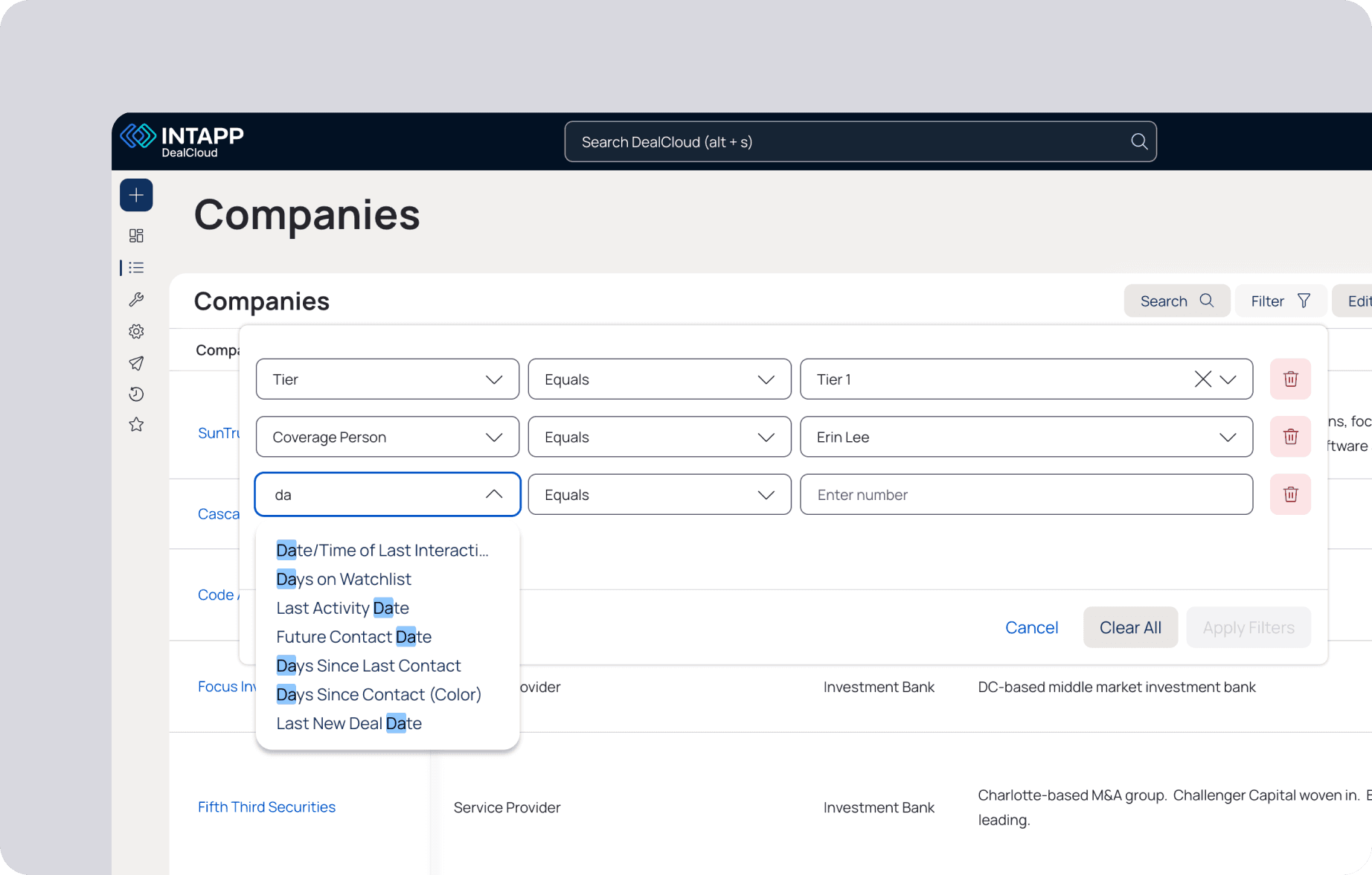
Generated filters use DealCloud's existing filter model, so people inspect and adjust them with controls they already know.
Instead of a spinner, the chat lists each filter as it's set, so you see how your question was read before the table loads.
When it's done, suggestions show what you can do next: fix the view, go back to the default, or save it.
The output is tokens, not a black box. You can adjust any condition without starting over.
Return to your previous grid view in one step, switch between AI and manual filters, and save an AI-made view for the team to reuse.

Formal adoption metrics weren't available at the time. Early feedback still showed people using it as a starting point and refining from there.
8 of 8 clients we tested with said they would use it over the standard filter.
The AI was most useful as a translator, not an answer machine. Showing the interpretation made mistakes visible, and visible mistakes are what let people trust the rest.