Natural Language Filter
At Intapp, I led the design of Natural Language Filter for DealCloud, a CRM used by thousands of financial services professionals across private equity, investment banking, and M&A advisory. The feature lets users find what they need by typing a question in plain English, instead of wrestling with dropdowns or building filters from scratch.
Web Design

Context
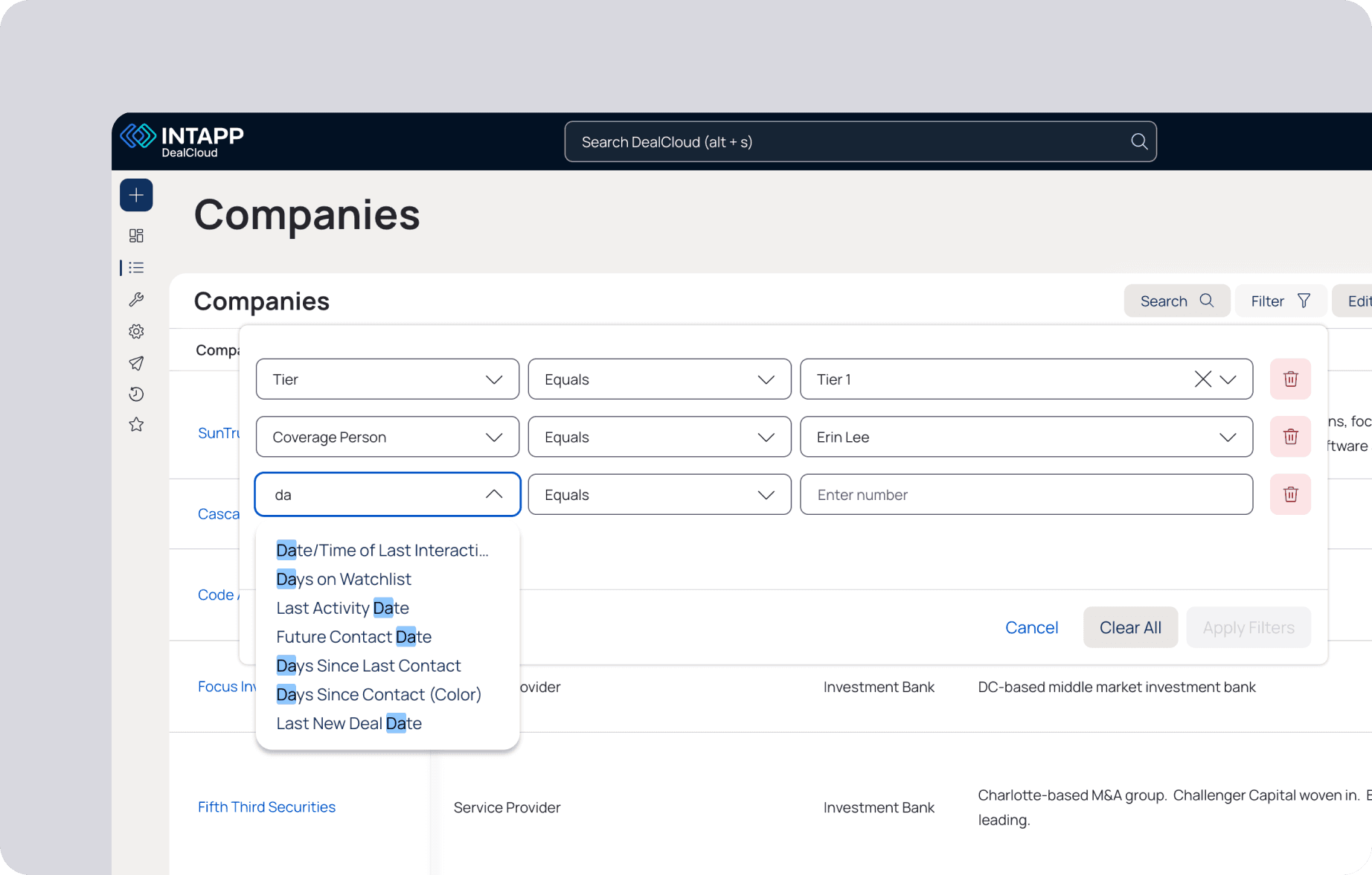
DealCloud is highly customizable, which is one of the things customers love about it. But that same flexibility made the filter system feel foreign to anyone who didn't set it up. To answer something as simple as "Which Tier A clients haven't been contacted in the last four months?", you had to know the exact field names your firm had configured, navigate through several menu layers, and stack conditions in the right order.
The people who felt this most weren't the admins. They were the relationship managers and partners making decisions on live deals. A lot of them had quietly stopped using filters altogether. When I sat with users early on, I didn't hear frustration. I heard resignation. They'd accepted this was just how it worked.
DealCloud had all the data. The gap was that the system spoke schema and users spoke intent, and nobody had tried to bridge that yet.
Explorations
I explored three directions. A conversational overlay broke down the moment users wanted to tweak a result — there was no way to adjust individual conditions without starting over. An AI-enhanced filter builder kept the familiar UI but didn't solve anything. If you didn't know what fields existed, suggestions still didn't help.
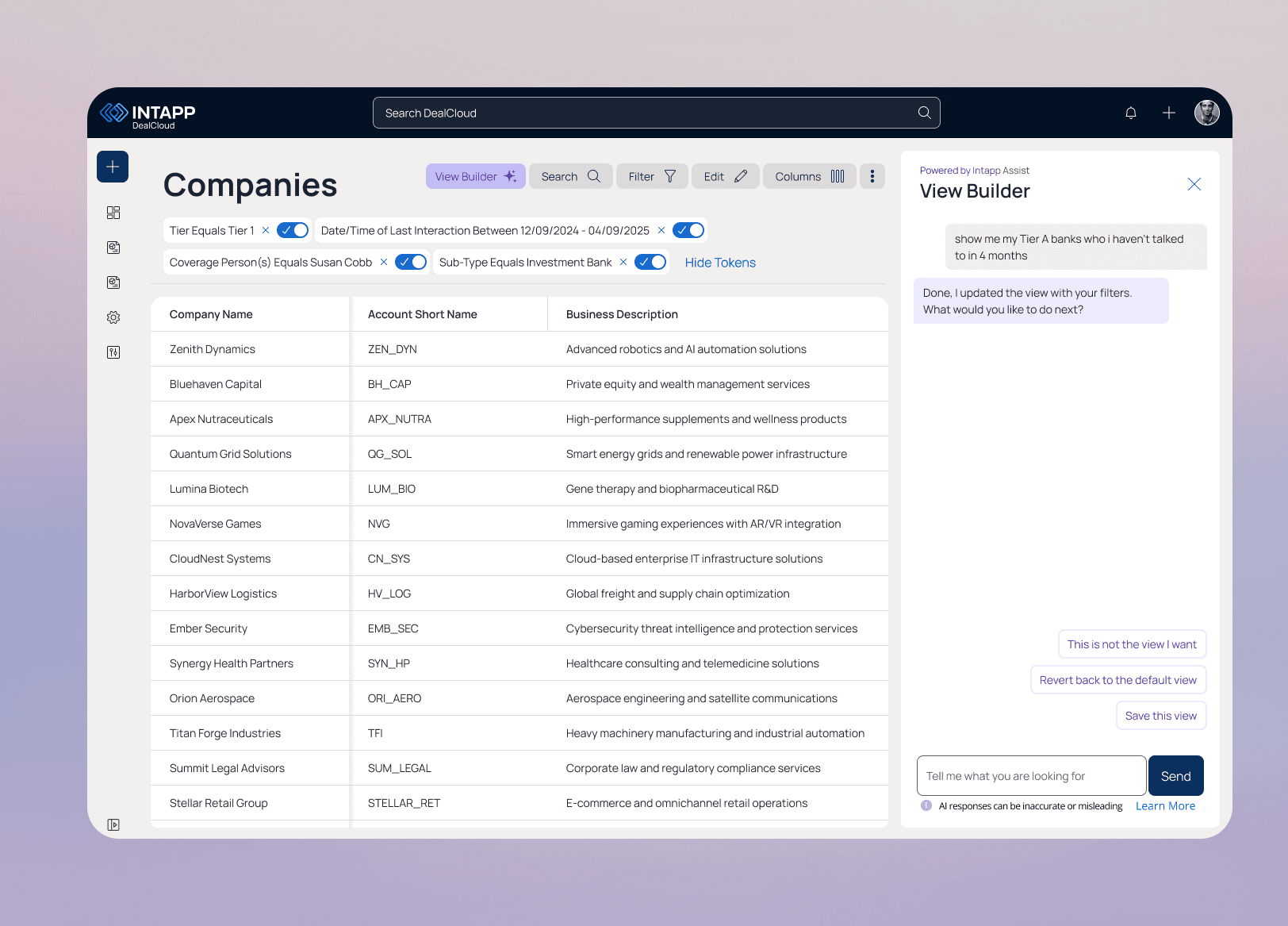
The direction I pushed for was an integrated view that converts natural language into editable filter tokens right in context. You could see exactly how your words had been interpreted, fix individual pieces without losing the whole query, and build on it. For professionals in regulated industries who need to trust what they're looking at before acting on it, that transparency wasn't optional.

Final Solution
Users describe what they're looking for in plain language, and the system generates structured, editable filter conditions instead of a static result. Because the generated filters use the existing filtering model, users can inspect, adjust, or extend the query using familiar controls rather than starting over.

Prompt Guidance
The experience guides users with contextual prompt suggestions and examples, helping them understand what they can ask without needing to learn the underlying data model.

Loading State
During processing, the loading state provides clear feedback that the system is interpreting their request and translating it into filter logic.

Generated Editable Filters
Once generated, the AI output is converted into familiar, editable filter tokens rather than a black-box answer. Users can review how their request was interpreted, adjust individual conditions, and refine the query without starting over—combining the speed of natural language with the flexibility of structured filtering.
Workflow Continuity
Users can return to their previous grid view with a single action and switch between AI-generated and manual filters without losing context. They can also save AI-generated views as reusable configurations, turning one-time queries into persistent workflows teams can revisit and build on.

Impact
While formal adoption metrics were not available at the time, early feedback showed a shift in how users approached filtering. Instead of building filters from scratch, users used Natural Language Filter to generate a starting point and refined the results from there.